When summer hits Toronto, residential HVAC demand spikes and the phone becomes the choke point. Not the trucks, not the technicians. The front desk. This case study covers how a 24-tech HVAC contractor in the GTA raised first-call bookings by 28 percent with dispatch automation and Voice AI, without switching off ServiceTitan or retraining the field.
The bottleneck and the goal
The company ran ServiceTitan for scheduling and dispatch with two full-time CSRs. Peak weeks exposed three issues:
- Hold times stretched and callers bailed before they reached a person.
- Callbacks to confirm windows created more backlog later in the day.
- Occasional misroutes put the wrong technician on the job.
Baseline during early summer:
- First-call booking rate: ~46 percent for inbound calls.
- Missed-call rate: ~18 percent on hot days.
- Average speed to answer: ~1 minute 45 seconds during peaks.
Objectives: book more jobs on the first call, keep CSRs focused on edge cases, and leave ServiceTitan as the system of record.
What we automated
We built a Dispatch Coordination Automation that mirrors how a senior dispatcher thinks, then added Voice AI to absorb surges. Everything wrote directly to ServiceTitan so the board stayed in one place.
Dispatch Coordination Automation
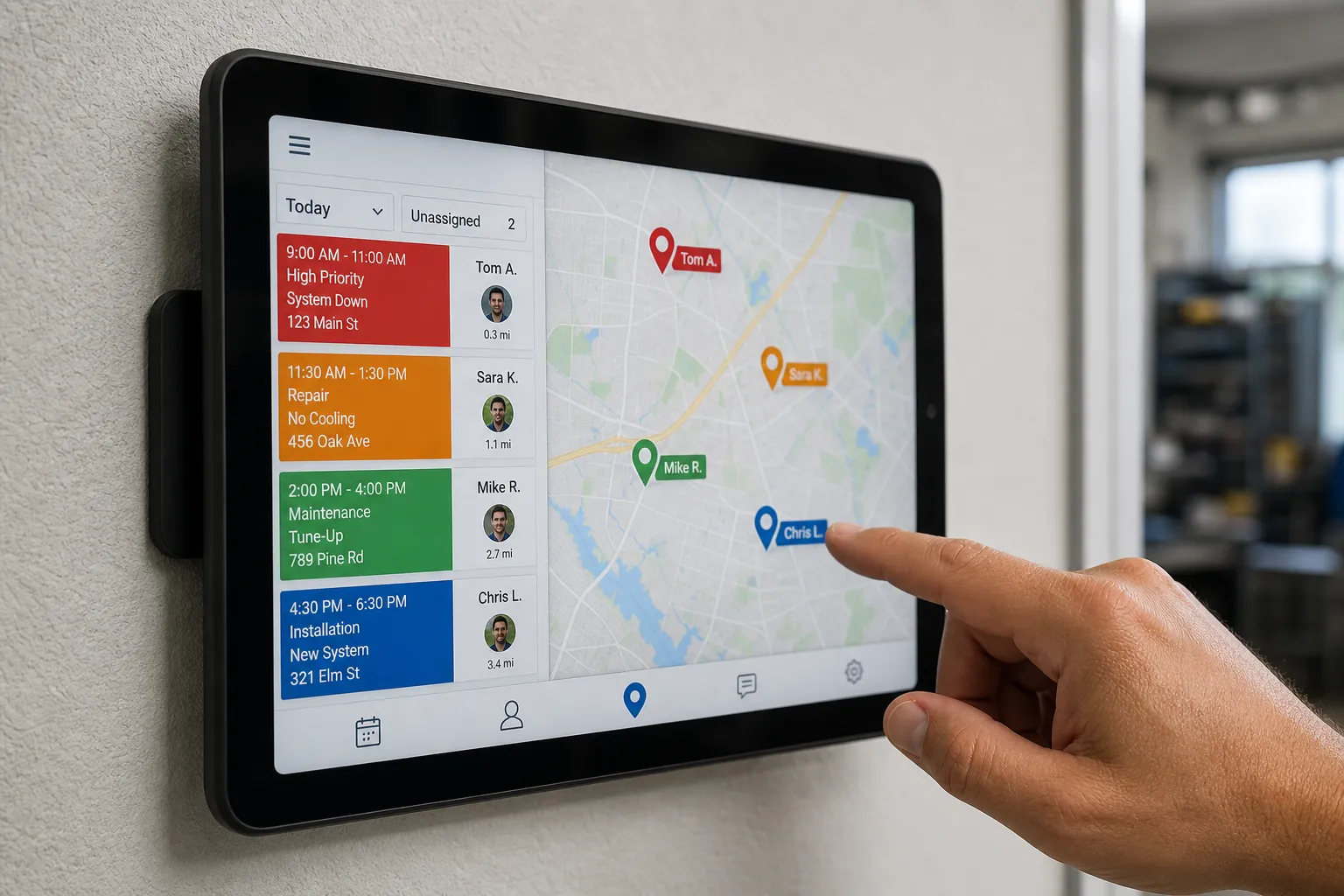
Trigger: a new service request via phone, web form, or chat. The automation classifies the request, queries the ServiceTitan calendar, and books the best-fit slot. Order of operations:
- Job type and priority: “No heat” and “no cool” preempt maintenance. Job types mapped 1:1 to ServiceTitan job codes and Business Units.
- Skill match first: Tech skill tags in ServiceTitan gate eligibility for installs, tune-ups, and diagnostics.
- Proximity and drive time: Prefer openings within 30 minutes of the job address using current tech locations and next-up availability. If none exist, escalate to the next nearest window the same day, then next day.
- Schedule protection: Respect holds for installs and team meetings. No double-booking. Keep a 15-minute travel buffer for cross-town moves.
- Customer window: Honor AM or PM requests. Exact ETA texts only after “dispatch” or “on the way” events fire in ServiceTitan.
On selection, the system books the job in ServiceTitan, assigns the technician, and drops a timestamped note in the job activity log. If the API is temporarily unavailable, it places a soft hold and alerts a dispatcher to confirm with one click.
Reduce the back-and-forth
We enabled multi-channel reminders that cut no-shows and reschedules without phone tag:
- Cadence: 48 hours, 24 hours, and 2 hours before the window.
- Content examples: “AC Service with ABC HVAC - Tue 10 - 12. Reply C to confirm or R for a new time.” Follow-up: “Thanks, you are confirmed. We will text when the tech is on the way.”
- Self-serve changes: One-tap links for rescheduling. Cancellations reopen the slot to a geo-sorted waitlist so nearby jobs slide in.
- Compliance: SMS includes company name, opt-out instructions, and respects opt-outs immediately.
Voice AI for peak hours and after-hours
We added phone agents that answer in seconds, collect essentials, and book routine calls. Routing logic matched the dispatch rules above so the phone and calendar always agreed.
- Handled: New service requests, tune-ups, warranty lookups, basic troubleshooting from the team’s script, appointment changes.
- Handed off: Complex installs, price negotiations, escalations, edge cases. Warm transfers sent CSRs the transcript summary, caller details, and suggested next steps.
After-hours, the agent captured leads from calls, chat, and forms. Non-urgent issues landed in next-day morning holds. Emergencies followed the on-call rotation as defined in ServiceTitan. If a customer said “emergency,” the system asked two clarifying questions, then escalated with a direct ring-through.
ServiceTitan-first integration
No migrations and no new field dashboards. The automation read and wrote jobs, assignments, tags, and customer communications inside ServiceTitan. Dispatchers could audit every step in the job timeline. The same playbook also works with Housecall Pro or Jobber when teams use those platforms.
One-week rollout
- Days 1 - 2: Map job types, tags, Business Units, and customer windows. Define escalation and handoff rules. Pull one month of booking data to set baselines and confirm KPI definitions.
- Days 3 - 4: Pilot the Dispatch Coordination Automation in a limited service zone. A dispatcher shadowed the system, reviewed each suggested assignment, and approved with one click.
- Day 5: Turn on Voice AI for overflow and after-hours. CSRs monitored live, claimed any unclear calls, and flagged tweaks.
- Days 6 - 7: Refine phrasing on the phone script, adjust two routing edge cases, and expand to full coverage.
Fail-safes stayed in place the entire week. If confidence dropped below a threshold, the system routed to a person. If a booking could not be written to the calendar, the caller received a confirmed callback with a timestamp, not a vague promise.
Results and KPIs
We compared four weeks pre-go-live to four weeks post-go-live during the early summer rush. Sources: carrier call logs, ServiceTitan reports, and the automation audit trail.
- First-call booking rate: 46 percent to 59 percent. A 28 percent lift in first-call bookings.
- Missed-call rate: 18 percent to 3 percent during peaks as the phone agent answered within seconds.
- Average speed to answer: ~1:45 to ~0:08 for overflow calls. CSRs concentrated on complex conversations.
- Same-day dispatch: 22 percent to 35 percent of service calls. Proximity-based routing cut deadhead time.
- Manual rescheduling calls: Down 62 percent. Reminders and self-serve links handled most changes.
- CSR time freed: ~12 hours per week shifted to installs, follow-up, and maintenance plan upsells.
Quality held. Wrong-skill assignments dropped to near zero by week two after tag cleanup. Complaints about missed windows decreased. Technicians reported fewer last-minute changes and tighter routes.
KPI notes:
- First-call booking: Booked during the initial live interaction by person or AI, not counting callbacks.
- Missed-call rate: Ring-no-answer or hang-ups before a human/agent pickup.
- Same-day dispatch: Jobs scheduled and completed the same day the request arrived.
Lessons for local service teams
- Start narrow, then widen: Launch with two job types and a small zone. Expand after rules prove out so edge cases do not swamp week one.
- Write rules in your team’s language: We lifted the whiteboard exactly. Phrases like “no-heat beats maintenance” became simple, testable logic.
- Let AI handle the routine: Peaks and nights belong to the phone agent. Sensitive installs and pricing stay with people. That balance kept buy-in high.
- Protect the calendar: 48/24/2-hour reminders and a geo-sorted waitlist kept utilization high without phone tag.
- Measure the same way every week: Define first-call booking and missed-call rate once and stick to it. Small definition changes can hide real gains.
Once the board was under control, the owner asked how to feed it with more qualified leads. If you are building pipeline while improving operations, this plain-English guide to an SEO automation tool called generative engine optimization explains automated content, backlinks, and technical fixes that help SMBs show up in Google and AI answers.
Key takeaways
- First-call bookings rose 28 percent by pairing dispatch automation with Voice AI.
- Missed calls and hold times collapsed during peaks, without adding headcount.
- Rules matched the team’s real workflow, which kept adoption smooth.
- Everything ran inside the existing ServiceTitan setup.
- This playbook fits home and local services across Toronto, Ontario, and North America.
If you run HVAC, plumbing, electrical, or another home service, Builts.ai builds AI customer service agents and back-office automations that resolve most support and booking requests across phone, chat, and email. We connect to the tools you already use, including ServiceTitan, n8n, and Make, so your team can focus on work that needs a human.
FAQ
How does Dispatch Coordination Automation choose the right technician?
It checks your scheduling system for real-time availability, required skills, and proximity, then books the best-fit slot and confirms with the customer.
Will Voice AI replace my office staff?
No. It handles routine bookings and questions so your team can focus on complex calls and exceptions. Anything sensitive or unusual is handed to a person.
Can this work with Housecall Pro or Jobber instead of ServiceTitan?
Yes. We build on top of existing tools and can connect to ServiceTitan, Housecall Pro, or Jobber without forcing a migration.
How long until we see results like higher first-call bookings?
Most teams see impact within the first week as hold times drop. Full lift typically appears over 2 to 4 weeks as rules are tuned.
Is this available outside Toronto or Ontario?
Yes. We serve small businesses across North America, with a strong focus on Toronto and Ontario service companies.