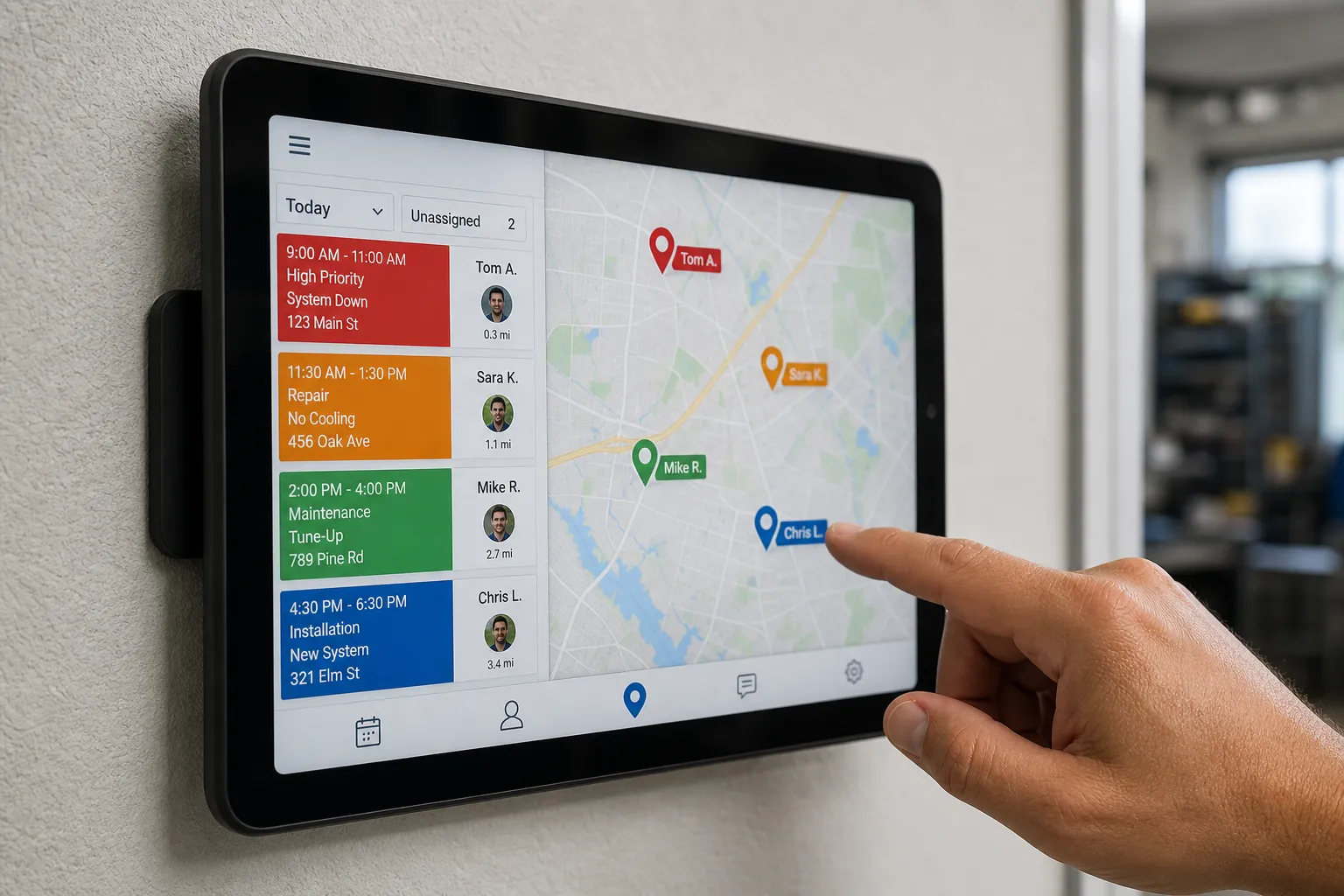
On a normal Tuesday your dispatch board should feel boring. Jobs land with the right technician, customers confirm without a chase, and your team only steps in when something unusual happens. If you are still slotting by hand, here is a practical way to set up ServiceTitan dispatch automation with AI so assignments follow skills and geography, and confirmations run on their own.
This approach fits home and local services teams that want fewer manual decisions, fewer no-shows, and faster response times. It also suits smaller shops in Toronto and across Ontario that need a steady system instead of more screen time.
1) Prep checklist before you build
Line up access, clean data, and a simple map of your operation. Ten minutes here saves hours later.
- ServiceTitan admin access. You will edit technicians, job types, service areas, alerts, and integrations. Confirm you can reach Settings for these objects.
- Current technician roster. For each tech, capture certifications, core skills, limits, home base or usual start point, primary vehicle, and working hours including lunch. Keep this in a clean sheet or table with consistent spellings.
- Service areas. Define where you accept work. Group by postal code, neighborhood, or radius from the shop. Aim for zones a tech can cover with minimal deadhead. Name zones clearly, for example North, Central, Lakeshore.
- Job types and durations. Standardize job names and set realistic default durations. Flag which jobs require a license or specific skill. Example: No heat is higher priority than Tune-up and needs HVAC diagnostic skill at minimum.
- Customer contact rules. Decide which events trigger SMS and email, who receives them, and what counts as a confirmed visit. Decide how you will handle reschedules and cancellations.
- Reliable intake. Your forms and phone intake must collect address, service need, equipment type when relevant, urgency, and preferred times. If your website misses key fields or sends bad leads, fix that first. A firm like RedStudio can help clean up forms and booking flows so your automation has good inputs.
- Integration basics. If you plan to orchestrate with n8n or Make, prepare a ServiceTitan API key, set a webhook endpoint for job created or updated events, and a secure store for tokens. Decide which channels you will use for messaging, such as SMS and email providers or a voice agent.
2) Map technician skills and service zones
Assignment quality depends on how precisely the system understands who can do what and where. Make skills and zones explicit and machine-readable.
- Define a short skills taxonomy. List only the skills that change who you would send. Keep names unambiguous. Examples by trade:
- HVAC: Diagnostic, Furnace install, AC install, Rooftop unit, Tankless
- Plumbing: Drain clearing, Sewer camera, Hydrojet, Water heater install, Gas line
- Electrical: Panel upgrade, EV charger, Lighting, Generator
Avoid vague labels like Advanced. - Apply skills to technician profiles. In ServiceTitan, add skills via tags or custom fields on each technician. Record limits too. Example: Tech A has Drain clearing, Sewer camera, Hydrojet, works 7 a.m. to 3 p.m., no crawlspaces.
- Set primary and backup zones. Assign every tech a primary zone plus one or two adjacent backups. Store this on the tech profile so your logic can prefer primary but allow adjacent zones when needed.
- Model travel time. Start with simple assumptions between zones at different times of day. If you want more accuracy, maintain a small matrix of typical drive minutes by origin zone, destination zone, and time block, or call a maps service when scoring. The goal is to rank candidates who can realistically hit the window.
- Align job types to skills and durations. For each job type, define required skills, preferred skills, and a default duration. Example: Water heater install requires Water heater install skill, 180 minutes. No hot water requires Diagnostic, prefers Tankless if reported equipment is tankless, 90 minutes.
What good mapping looks like
A call from a North zone postal code for a drain clog should instantly narrow the field to techs who carry Drain clearing, start near North, and still have a 90-minute block this morning. If two techs tie, the system should pick the one with less drive and a lighter day. That is the foundation of reliable auto-assign.
3) Build assignment logic the AI can act on
Translate your mapping into clear rules and a deterministic scoring model. Keep rules readable and testable. Order them from strict to flexible.
- Golden rule. Assign the closest available technician who has all required skills and enough contiguous time for the job inside the customer window.
- Priority handling. For Emergency or No heat, prefer on-call techs and same-zone matches. Allow preemption of low-priority jobs if your policy allows it. Auto-reschedule displaced jobs using the same scoring logic.
- Required vs preferred skills. Treat required skills as pass or fail. Treat preferred skills as a boost, not a block, so the job still lands if the specialist is booked.
- Respect shifts, breaks, and overtime rules. Do not place jobs past shift end unless they are flagged emergency and the tech is on-call. Build a buffer before and after lunch.
- Fair distribution. Add a tiebreaker that rotates equally suitable techs, based on jobs completed today or last-assigned timestamp, so easy calls do not pile on one person.
- Fallbacks. When no perfect match exists, relax in a defined order: open adjacent zones, then relax preferred skills, then slightly widen travel tolerance. Never relax licensing or safety requirements.
Scoring example
Give each candidate a score, then pick the highest. Example factors and weights:
- Skills match: +60 if all required, +10 extra if preferred specialist
- Proximity: +0 to +20 inversely proportional to drive time
- Calendar fit: +0 to +15 if the job fits the requested window without overtime
- Load balance: +0 to +5 for the tech with fewer jobs today
Pseudocode: score = skills_required + skills_preferred + proximity + window_fit + balance. Reject candidates that fail required checks.
Trigger points
Run this logic on new bookings, on customer reschedules, when a tech becomes unavailable, and when a job runs long. If you capture after-hours leads with an AI customer service layer, feed the same rules so night bookings land on the right tech by morning.
If you want this across chat, email, and phone, builts.ai can help. Our Dispatch Coordination Automation checks technician availability in ServiceTitan, assigns the right tech by skill and location, and confirms the booking with the customer. It also works with tools you already use, including n8n and Make, which keeps training and migrations off your plate.
4) Automate confirmations, reminders, and day-of updates
Great dispatch fails if customers forget to open the door. Lock in visits with clear, timed touchpoints and simple actions.
- Send instant confirmation. When a time is assigned, trigger SMS and email with date, arrival window, technician first name, and one-tap Confirm or Reschedule buttons. Keep the subject line straight: Your appointment on Tue, Apr 9, 8-10 a.m.
- Reminder cadence. Proven touchpoints are 48 hours, 24 hours, and 2 hours before the appointment. Use the same one-tap actions and include a support number for edge cases.
- Handle reschedules automatically. If a customer taps Reschedule, open that slot to your waitlist, propose the next best times from your scoring model, and write the new booking back to ServiceTitan.
- Day-of updates. When the tech taps En route, send an on-my-way SMS with a live ETA and a photo of the vehicle if you have one. If the job slips past the window, send an apology with a revised ETA and optional credit per your policy.
- Confirm emergencies by phone AI. For urgent jobs, have a voice agent call to confirm access instructions, parking, pets, and any safety notes. That keeps human CSRs free for exceptions.
Where AI adds the most value
AI is best at first-response booking, overnight lead capture, status updates, and day-of reshuffles when a tech runs long. Voice agents handle routine calls so CSRs focus on problems. Self-serve scheduling lets customers pick a time that fits while you keep control of zones and skills. If you are comparing options from an ai automation agency Toronto or anywhere in Ontario, start with these high-friction handoffs before you automate edge cases.
5) Test, measure, and roll out safely
Prove it small, then scale. Keep humans in the loop until the data says go.
- Shadow mode. For one week, let the system propose assignments while dispatchers still decide. Compare choices and note rule gaps. Log every decision with the winning score and the top two alternates.
- Pilot a single zone or job type. Choose a zone with steady volume and simple travel patterns, or a job type with clear skills. Keep the rest manual for now.
- Measure the right numbers. Track time to assign, average drive time, first-visit fix rate, no-show rate, reschedule rate, and technician overtime. Capture baselines before the pilot so you can compare.
- Debrief with the field. Ask techs about route sanity, job fit, access notes, and parts readiness. Their feedback will expose gaps faster than dashboards.
- Expand in stages. Add one zone or job type per week after you hit targets two weeks in a row. Keep a rollback plan, such as a toggle that returns new jobs to manual assignment.
Common pitfalls and fixes
- Too many skills. A bloated list slows decisions and creates false mismatches. Keep only the skills that change dispatch choices.
- Overly tight windows. If most jobs miss the arrival window, widen windows or add travel buffers so the system can find real options.
- Dirty intake data. Missing addresses, wrong equipment type, or vague issues sink good assignments. Make required fields mandatory and validate them.
- No fallbacks. Jobs stall when rules have no escape hatch. Always define step-down logic you are comfortable with.
- Ignoring cancellations. When a customer cancels, reopen the slot to your waitlist immediately so the day stays full.
Key takeaways
- Dispatch automation works when skills, zones, and job types match the real world and live on technician profiles.
- Score candidates with clear rules from strict to flexible, and include fallbacks so jobs never stall.
- Automated confirmations, reminders, and day-of updates protect your calendar and cut no-shows.
- Pilot in one zone, measure what matters, and expand only after the data beats baseline.